# PrestaShop
import { Aside, LinkButton } from '@astrojs/starlight/components';
To use PrestaShop with SumUp, download the SumUp Payment module plugin, which requires configuration in your SumUp dashboard.
Download PrestaShop Plugin
## Prerequisites
You will need an active [SumUp account](https://me.sumup.com). As an authorized Payment Institution by the Central Bank of Ireland, SumUp must verify your identity and business ownership. Please make sure your [business model is supported by SumUp](https://help.sumup.com/en-GB/articles/3G8ZHjdgFZjmKWOmDWS52m).
## Installation
1. Follow [the register application guide](/tools/authorization/oauth/#register-an-oauth-application) to obtain the client credentials for your app.
2. Download the client credentials file.
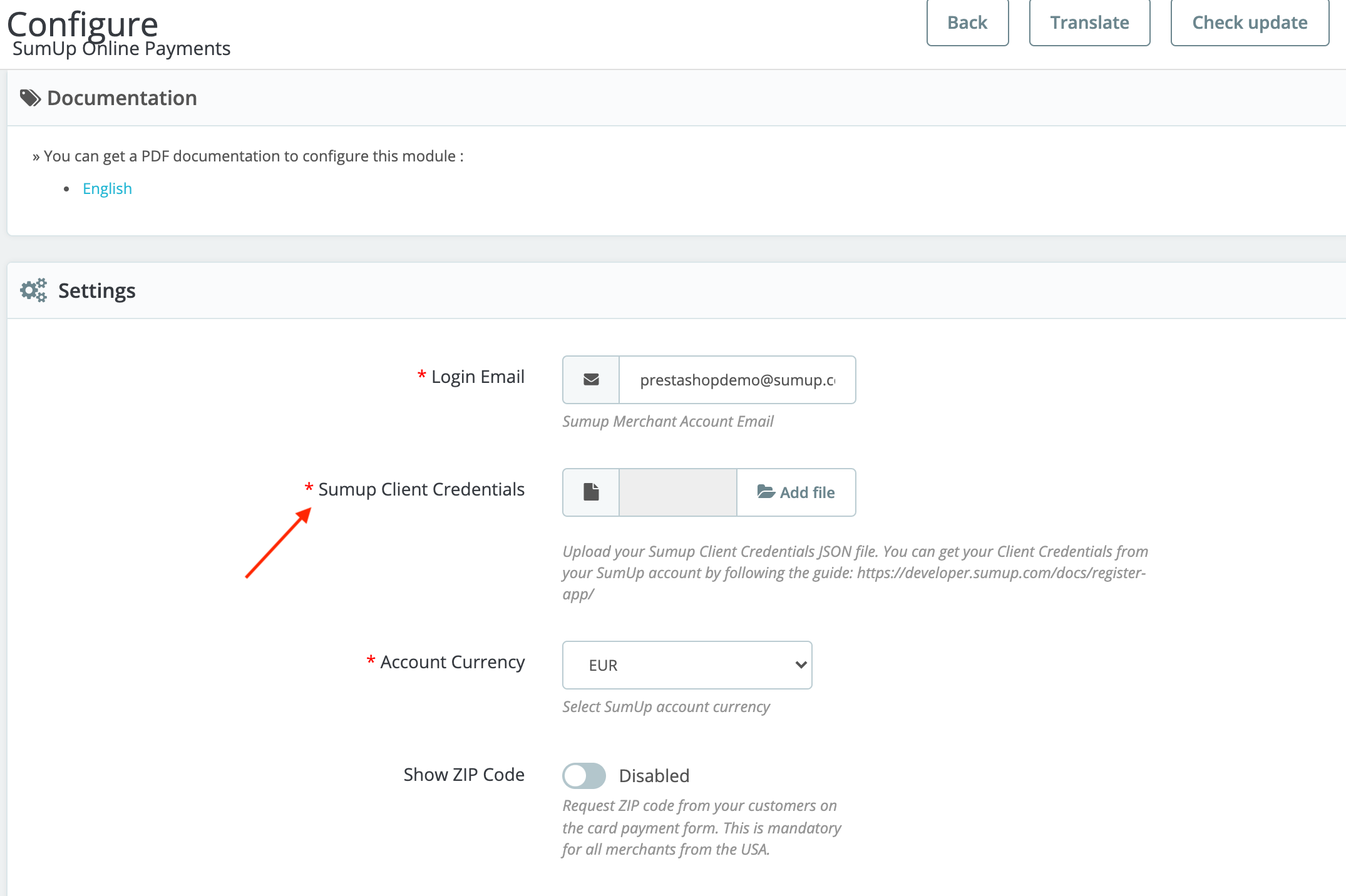
3. Upload the JSON to the **Module Configuration** page in PrestaShop Backoffice.
4. After SumUp account verification, [contact us](/contact) to enable online payments scope for your PrestaShop online store.
Once you receive a confirmation from SumUp, you’re fully set-up! Note that minimum transaction amount is 1 EUR (or equivalent).